
Twitter Audio
Making Twitter more audio-accessible.
Role: UX/UI designer
Tools: XD, Figma, Figjam
Background
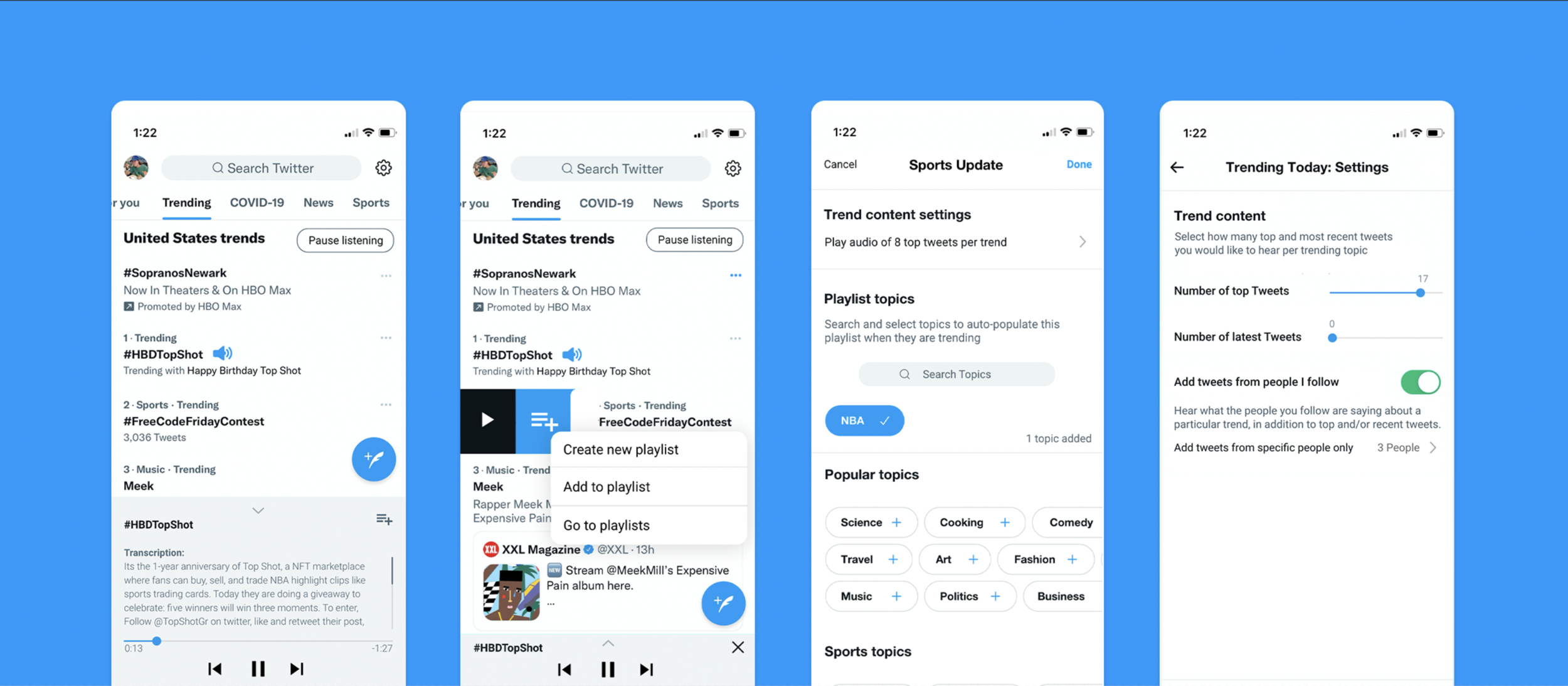
The proliferation of podcasts and emergence of new audio blogging platforms are creating convenient, hands-free options for consuming news media.
Evidenced by the rollout of Audio Tweets and Spaces, Twitter is responding to this trend by adding audio capabilities to its platform.
The purpose of this case study is to propose a way for Twitter users to keep up to date without having to direct constant physical & visual attention to a phone— a playlist feature appeared to be a viable solution.
Why do people use Twitter?
Twitter is praised for helping people glean what’s going on in the world. It provides access to thoughts and musings of otherwise inaccessible public figures, and it empowers people to connect over popular and niche topics.

Needfinding
Although Twitter is one of the most prominent microblogging platforms, there are several areas for improvement. App reviews, op-eds, and Reddit reveal three common Twitter complaints:
Trending topics lack context
Following like-minded users can create echo chambers, leading to polarization
It’s a time suck (doom scroll)
I spoke with users to gain a nuanced understanding of the user experience.
For preliminary research, I recruited ages 25-34— the age group that comprises ~30% of all Twitter users.
Following interviews, I affinitized participants’ likes and dislikes about Twitter, and ideated features that could enhance the user experience.
Discovery interview takeaways
Need Found
Users revealed an additional pain point: We can’t use Twitter when our hands or eyes are occupied.
This relates to the original pain point that Twitter can feel like a time suck. While its deflating to lose hours to twitter scrolling, several users commented it takes too long to fully keep up Twitter. If Twitter implemented an audio feature, users could consume content hands-free throughout the day.
Both Twitter and it’s users would benefit from Audio:
Twitter users: cut down on screen time yet learn more about what’s trending
Twitter: increased time spent on the platform by becoming accessible in more contexts
Discovery: Audio
How can audio help users consume the content they’re looking for ‘on the go’?
Twitter identified audio as a growth opportunity as demonstrated by the rollout of Audio Tweets and Spaces.
Surprisingly, my interviews revealed that the new features are seldom used (nor recognized) by frequent users— even though the same people expressed interest in consuming Twitter content via audio. Instead, users to rely on other platforms (Spotify, Clubhouse, Audible) to consume news and media via audio.
Would another audio feature add value or sit in the periphery of Twitter? I scheduled three interviews to learn Twitter users’ experience using other audio-based apps, and determine whether to proceed with an audio approach for Twitter.
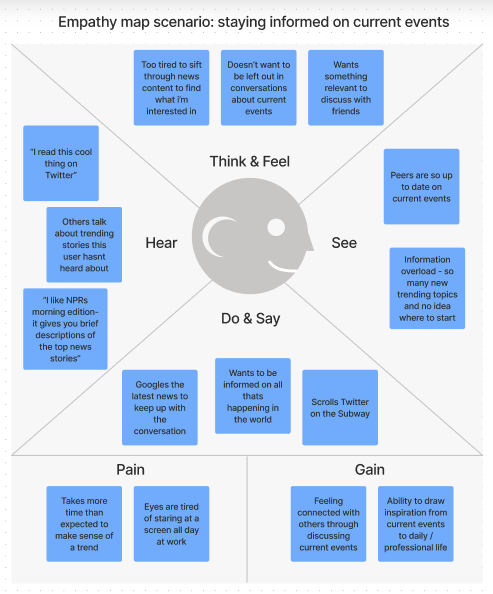
I filled out an empathy map to summarizing findings for reference during the design process.
How might Audio enhance an existing use case?
Several participants described listening to news media or reading Twitter on their commute to work. I converted those insights into ‘actions, thoughts, feelings, and opportunities,’ from the perspective of the aforementioned empathy map.
Customer Journey Map
User flow & concept sketches
I reviewed audio competitors to learn audio control interaction patterns and reviewed the customer journey map to inform a feature specification and user flow.
Provisional feature specification
One-click option- listen to all trending
Skimmable overview of trends (to decide whether to listen further)
Audio control bar ( + access to transcription)
Add to playlist/queue menu
Customizable audio library for later listening
Visual noise is an important consideration when adding a new feature to Twitter because of its text-heavy interface. This understanding became a guiding principle in my design process to ensure my final product would not overwhelm the UI.

3 follow-up questions emerged:
Would users rather listen to what is trending, their own audio playlists, or both?
What information do users seek within a trending topic? (most popular tweets? latest tweets?)
What settings would make this feature accessible to a wider audience?
To answer these questions, I iteratively developed two high-fidelity prototypes for testing.
A/B usability testing
Method: 5 participants participated in a usability A/B test.
Key insight: participants didn’t understand the difference between the queue and the playlist.
I assumed some users would listen while browsing for other topics to add to the queue, whereas others would create a 1-click playlist that auto-populates with preferred topics.
In testing, 60% of Participants expected to add topics to playlists similarly to the queue, making the queue redundant. Because “Playlist” was a more recognizable term and concept, I decided to omit the queue feature for simplicity in the final iteration.
Added Settings
Participant quotes were used to define audio settings.
“I zoned out listening to an audiobook because the narrator’s voice was monotone”
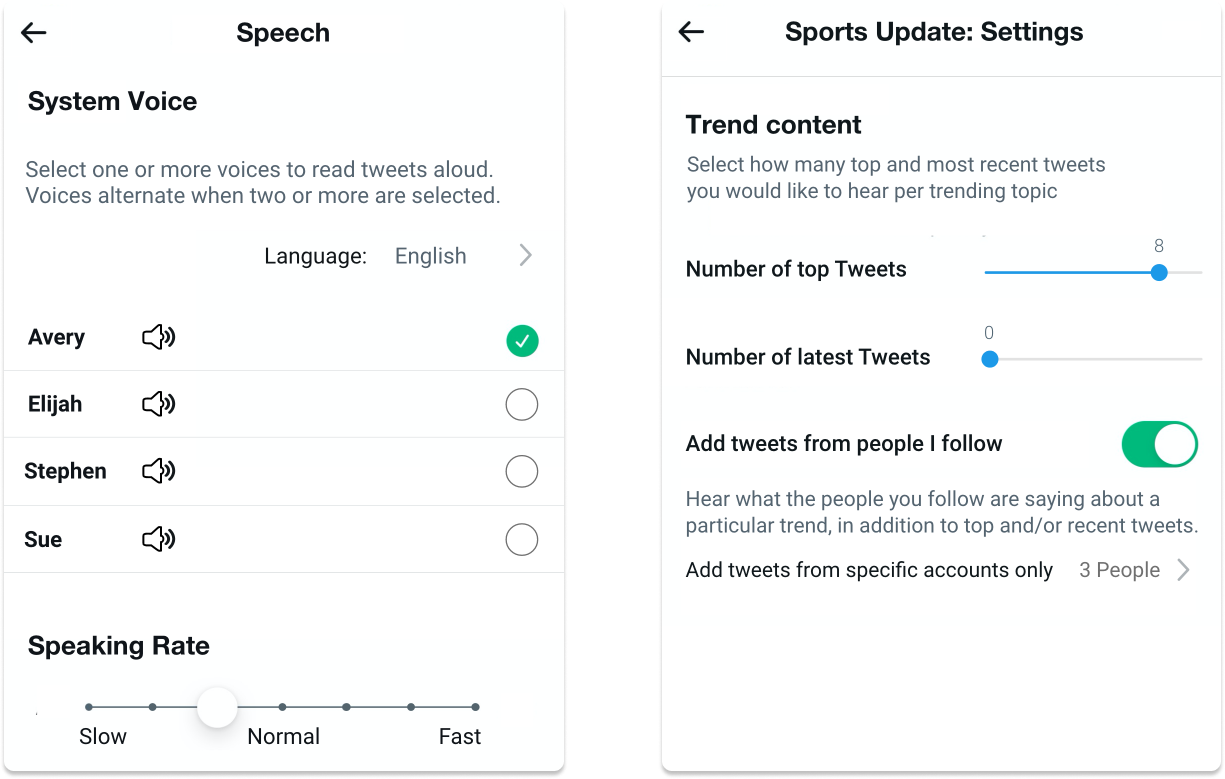
New setting: Users can select narrating voice(s) that resonate. The option to select multiple was included to grab attention with a new voice each time a new trend starts to play.
“I don’t want to listen to a string of tweets from my uncle if he goes on a rant”
Listening to tweets from people you’re following was created because participants wanted to hear if specific people of personal interest had tweeted on a topic.
New setting: The quote above prompted me to enable users to specify (1) if they want to hear tweets from people they follow, and (2) which of those people they would want to hear from.
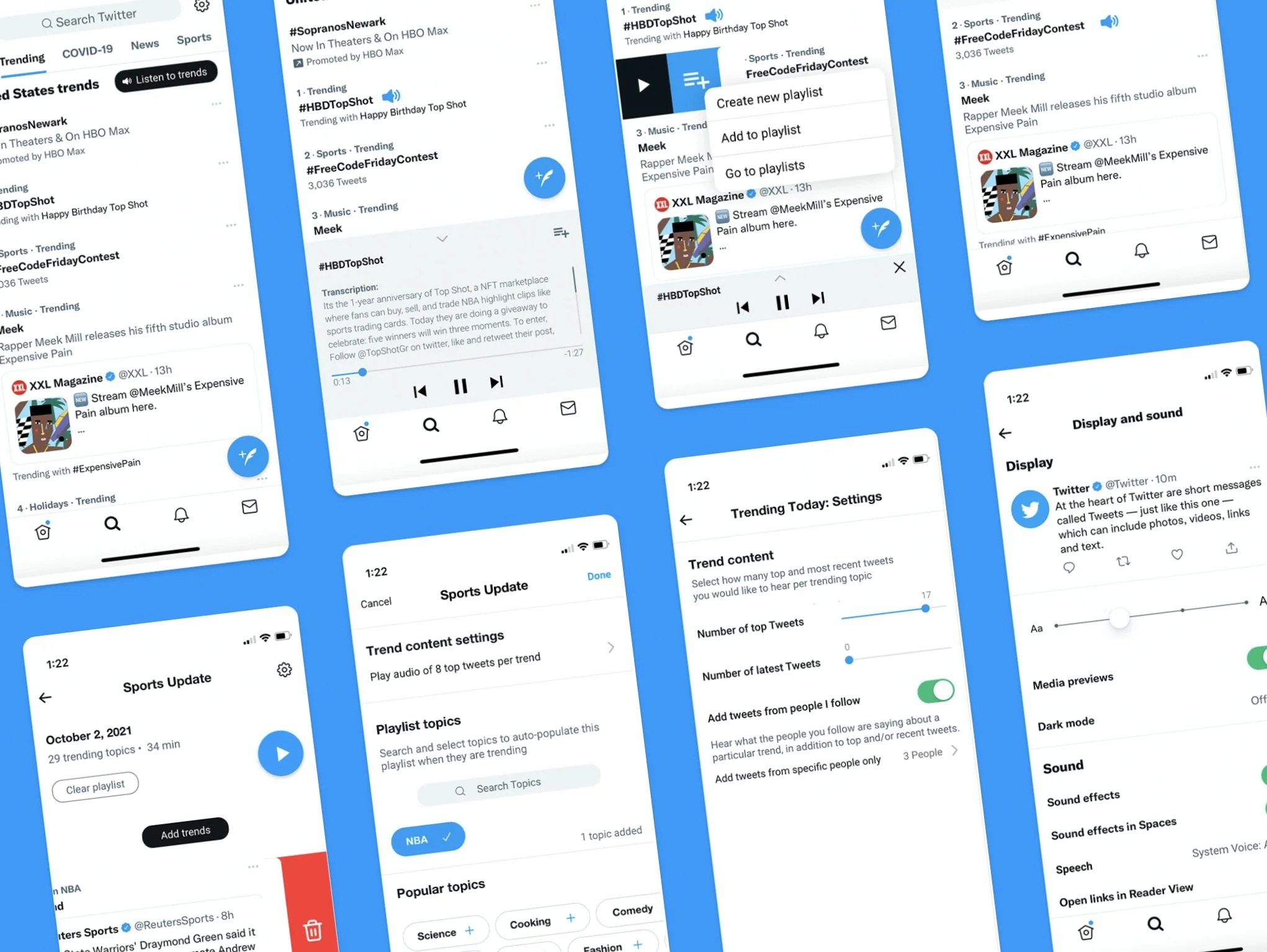
Final prototype
Final note
Reflection: It was fun adding a listening feature to Twitter. I wonder if a more audio-centric Twitter would make it easier for users to become better informed, while also using their idle hands and eyes more productively.
What I’m most excited about: The inclusion of transcription. Twitter users come from around the world; A transcription feature would make it possible to translate content into different languages.
The main flaw: Its reliance on transcribing tweets. Tweets often convey information in a way that is easier to interpret when read versus heard— especially when referring to linked content, such as a news article, video, or photo.
A more realistic MVP for today would be the “Listen to all“ feature on the trending page because Twitter has already begun adding written descriptions to summarize trends in an audio-compatible format.
Future idea: A problem space I’d explore further is how to mitigate the negative implications of echo chambers. One idea from this project was a “debate” feature, which would rely on AI to source top tweets from both sides of an argument— this would certainly require extensive research to ensure implementation wouldn’t turn Twitter into a hostile platform.